Hidden Comments, Site Maintenance & Search Updates

We have a couple site changes we’d like to announce today!  We always love to hear what our users have to say so keep those suggestions coming.

First, we’ve changed the way comments are hidden.  Now you can permanently hide comments on your own auction and other users won’t be able to click “show comment” to see what was written.  The place to do this is in the same location as before, but the results are slightly different.  Hopefully auction owners enjoying having more control over the comments on their auctions.

Second, we’ve added a way to perform routine maintenance on the site and give our users notification ahead of time.  When we have scheduled maintenance you will see a warning message on the top right of the site that says “Scheduled Maintenance” and you can click this to see details including start and end times.  Auctions that end during and 1 hour past this down time will end 1 hour after the end of the scheduled down time.  For instance if down time is scheduled for tonight from 9PM to 10PM, auctions ending from 9PM to 11PM will all end at 11PM.

Lastly, we’ve changed the way the search function works when you select your region.  Previously, you could select “US” or “Worldwide” where “US” would show all auctions with a specified location in the US and “Worldwide” would show every auction available.  These options would not take into account any of the shipping options associated with the auctions.  We’ve changed these options to “US” and “Outside US” where each will show auctions that are available in the specified region (shipping to that region or local pick up in that region).  For instance if you have selected “US” you will only see auctions that ship to or are available for local pick up in the US and likewise for “Outside US”.  We’ll be adding more ways to drill down to specific regions in the near future.

Stay tuned for more updates!
Welcome To Listia Rosie!

Rosie


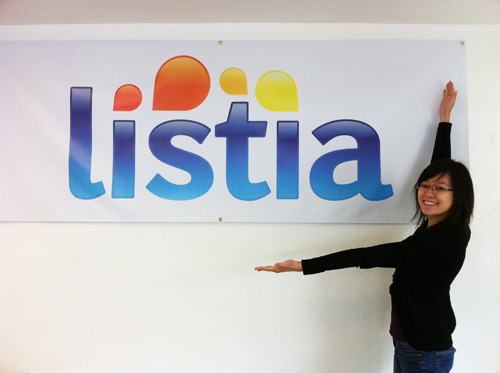
Today we’re excited to announce the newest member of the Listia family, Rosie!  You’ll be seeing a lot more of her through our various online channels like Facebook, Twitter, support tickets, our blog and most importantly on Listia.  If you need help with anything, Rosie will be there to help you out!

This is her second week at Listia and like the rest of the team, we’d like to get to know her a little bit better so here are 5 random facts about Rosie:

1. Her celebrity crush is Josh Duhamel (Fergie’s husband)

2. She wants to visit Venice before it sinks

3. Her favorite food is sushi

4. She’s a big fan of post-its! Keeps things organized

5. If she had one super power, it’d be the ability to control time

Listia was founded with the idea that it should be fun, easy and rewarding to trade things that you don’t use anymore, and get things that you want in return. The site has really evolved since we launched in 2009, and our community is growing faster than ever. If you’re interested in job opportunities with us, we’re looking for developers to really take Listia to the next level.  For more details visit www.listia.com/jobs

Leave a comment for Rosie and welcome her to the Listia community!


Now You Can List “it” On-The-Go – New Listia iPhone App (and new funding)

Iphone_announcement

Today, we’re excited to share some great news about our company and our products!

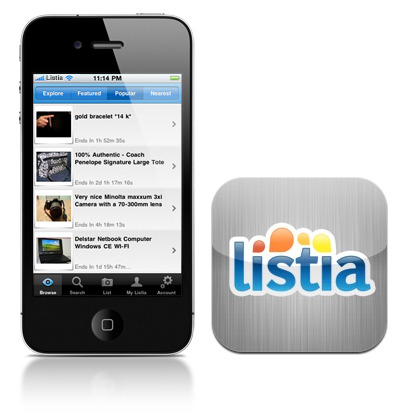
Starting off, we’re bringing you a whole new way to experience Listia – on your iPhone! Download the app now in the Apple app store. The free app is a snap – you can browse, bid and list items directly from your iPhone. Use it to quickly find what people are offering near you, walk around your home to snap photos of things you want to trade and upload them directly from your phone. Our mobile app will make listing items so fast and easy that you’ll actually want to do spring cleaning this year.

Here are some of the features:

• Quickly browse through popular listings and use the location feature to find listings near you for easy local pickup

• List items directly from your iPhone using the built-in camera to snap multiple photos

• Use the advanced search to find exactly what you want

• Comment and ask questions on-the-go directly from your iPhone

• Manage your auctions and never miss items you are watching or bidding on

• Snap a photo of yourself and use it as your new profile picture

In addition to the iPhone App, we recently raised $1.75M in funding from some of the best investors in the valley. The deal was led by Andreessen-Horowitz with participation from some great people, including SV Angel, Founder Collective, High Line Venture Partners, Max Levchin, Naval Ravikant, Alex Zubillaga, James Hong and others. We are very fortunate to have these investors working with us to take Listia to the next level. For you guys, this means we’ll have the resources to continue to build a great product and improve the service that all of you love so much.

Listia was founded with the idea that it should be fun, easy and rewarding to trade things that you don’t use anymore, and get things that you want in return. The site has really evolved since we launched in 2009, and our community is growing at a rate of 15% a month. There is still a lot more we have planned, and we will be using the funding to add amazing people. If you’re interested check out our jobs page here http://www.listia.com/jobs

Check back for updates as we continue to grow!


Listia Gets a Mini Face Lift

New_menu_bar

If you haven’t seen it already, Listia has gotten a new menu bar!  After a lot of thought we’ve come up with something we hope you all will like.  It may take some getting used to, but overall we think this is a great improvement and our early vote results have confirmed that too.

As always we’d love to hear your feedback so be sure to let us know what you love or hate about it!

Listia Gets a Speed Boost

3305157904_230f6a8917_z

We just completed some big server upgrades and optimized our code and infrastructure to provide even better service for all of you!  Hopefully, you’ve noticed the site is faster and more responsive today and will continue to improve over the next few weeks.  As always, if you spot any bugs or issues..  feel free to let us know by visiting: http://help.listia.com

Better service and a better experience are our top priorities… thanks again to all our awesome users out there. Happy Listing!

photo via: tonysphotos

Watching the Oscars? Tell us your picks!

We are giving away DVDs for all of the movies nominated for Best Picture!  Check them out on the Rewards Auctions page and vote for the ones you like best by clicking the “like” button on the auction.  These auctions will only run for one day, so bid quickly!

Here is the entire list of movies: Black Swan, The Fighter, Inception, The Kids Are All Right, The King’s Speech, 127 Hours, The Social Network, Toy Story 3, True Grit, Winter’s Bone

Which one is your favorite?

Ctrl+S! Hello Saved Searches

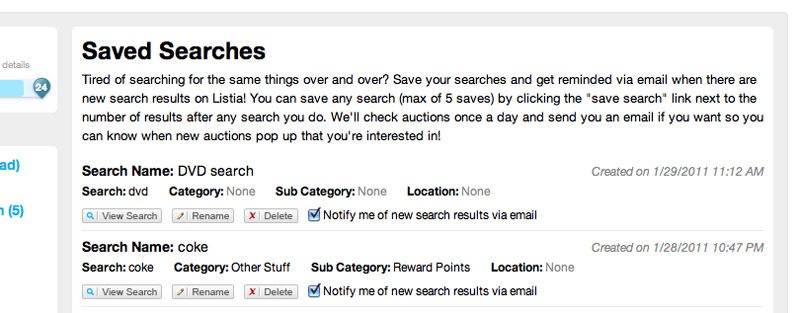
Ever get tired of searching for the same things over and over again? We’ve added a way for you to save your searches so you don’t have to. Along with this, you can be notified via email when new auctions are found with your search.  Emails are sent once a day and you can always turn notifications off.  To save a search look for a link next to the number of search results called “save search”.  When you click this you’ll be prompted to name your search so you can reference it later on and you can also choose to receive email notifications or not.

Saved_searches1

In “My Listia” there is a new menu under “Account Settings” titled “Saved Searches” and here you can manage your settings as well as view results from your searches. There is currently a maximum of 5 saved searches. Enjoy!

Saved_searches2

Listia Tip! Next & Prev Buttons On Larger Images

We decided to use a light weight image gallery for viewing larger images and we decided to utilize Slimbox2 for the time being.  Down the line we may eventually build our own way to zoom even further, but for now this light weight lightbox does a nice job. To view larger images click the “View Larger” link on any auction page that has photos uploaded. One thing you may not know is that you can flip through the images by clicking “Next” and “Prev” buttons that appear when you mouse over the side of the image. This is much easier than closing the lightbox then opening up another image.  Enjoy!

Browser Battle

Browsers

As the number of web browsers increases so do your choices on which one you use.  With the slow and gradual death of Internet Explorer 6 (thank heaven) there comes a whole slew of new IE versions (7, 8 and now 9 beta). Then throw in Firefox, Google Chrome and Safari … feels like you’re at Home Depot picking out what shade of blue to paint your room. To some of our users the choice may just be “what came with the computer”, but everyone should be open to try new things.  After taking a look at some of our statistics we were happy to see that less than 1% of our users use IE6 (thank you to those of you that have moved on).  BUT there are still quite a few of you out there using IE 7, 8 or 9 (we didn’t even know about 9 until we saw some stats). This wasn’t too shocking to us since IE still has a tight grip on a lot of people, but at the office you’ll never see anyone using IE unless it’s to do browser testing.

So we decided to run some quick tests in the office on Peacekeeper after running around like crazy to find a computer with IE.  We had seen a ton of reports online, but had to run these ourselves and share them with you guys.  Here are the results …

Browser_winner

Chrome looks like the blatant winner on this test suite. That conclusion probably is consistent with a lot of other test suites out there, but we thought we just had to see it for our own eyes. Never heard of Chrome or Firefox?  Click the links to check them out, but basically they’re alternatives to using Internet Explorer to browse the web. Download them and see if you like em … we do!

Perk-A-Boo! Introducing Listia Perks!

Perks

We hope everyone has been having a great 2011!  We’ve been cranking away at a lot of new features and here is our first one for 2011, Listia Perks!  Jump to this link if you want to read about it on your own.  You can find the link to perks on the left hand side of “My Listia” under “Account Settings”.

When a perk is activated you will have the ability for that perk immediately.  You activate and subscribe to perks based on a monthly subscription plan and they are renewed on the first day of each month.  To activate a perk, the initial cost is a prorated number of credits for the remaining days in the month as well as payment for the next month.  At any time you may cancel your subscription and you will have the ability for that perk until the next renewal period when your subscription is canceled.  When you activate a perk you will receive a badge for that perk indicating that you have that perk activated.  If you decide to cancel a subscription that badge will be removed on the next renewal day.  Each perk will have a different set of requirements to unlock it.  Some of you may already have them unlocked and others might need to put in a little work.  One last thing … pricing of perks is subject to change, but if you subscribe to a perk at a cheaper price you will be grandfathered in forever unless you cancel that subscription.

As time goes on we’ll be adding more and more perks, but not always with an announcement, so keep your eyes peeled!  Have fun!